Find a program. Understand the terms. Take your next step.
How to use AffiFind
AffiFind helps you find affiliate programs for your content and audience. Search a topic, compare the available terms, then check the official program before applying.
No AffiFind account is needed to research programs. Applications and payments are handled by each merchant or its affiliate network.
Updated · By AffiFind
On this page
1. Search for your topic
On the homepage, enter a niche, product, industry, or program name. Select Discover to see matching opportunities.
For example, a fishing creator can start with fishing, then try camera for equipment used to record trips. An AI tutorial creator can start with AI video. Use a specific program name when you already know what you want.
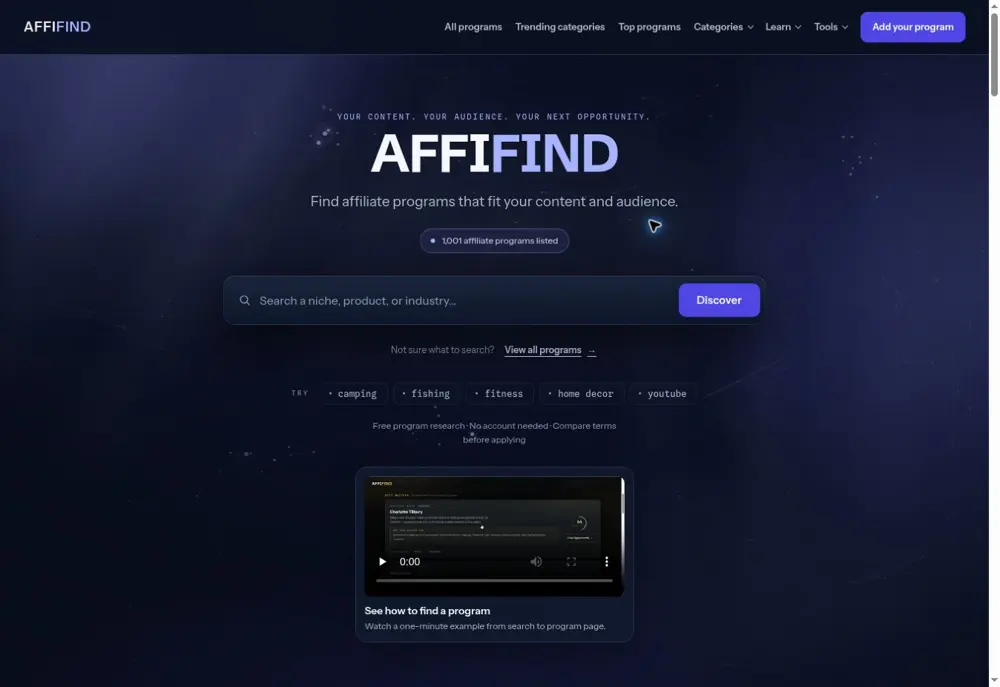
Read the descriptions, not just the match score. A match score estimates relevance to your search. It does not measure a brand’s quality, your chance of approval, or expected income.
No useful result? Try a shorter phrase or a related topic. A program missing from AffiFind may still exist; check the merchant directly or suggest it through our contact page.
2. Browse without a keyword
Select All programs to browse the catalog, or use Categories to narrow it by audience. The homepage’s scrolling cards show merchant website previews. Their Apply to program action goes to the program destination; View details opens the information panel.
- Browse the alphabetical program profiles when you want a broad view.
- Explore AI programs, outdoor programs, or another category when you know your audience.
- Use Recurring only, Easy approval, and the available sort controls in search results to narrow a shortlist. Filters use recorded catalog fields; confirm actual eligibility with the program.
“Top programs” are editorial selections. Trending categories are browsing signals, not a promise of earnings or a recommendation for every creator.
3. Compare more than the commission
Open two or three relevant programs and compare these fields. Keep missing information as a question for the merchant.
| Term | What to check |
|---|---|
| Commission | What qualifying action earns a payment: a sale, paid subscription, or approved lead? Is it a percentage or fixed amount? |
| Recurring | Do eligible renewals earn commission? Check how long this lasts and any exclusions. |
| Cookie duration | How long can a referral be attributed after a click? Attribution rules may include other conditions. |
| Approval and location | Does the program accept your country, website, social channel, and content type? |
| Payout | What payment methods, minimum balance, validation period, and schedule apply? |
| Promotion rules | Are your planned methods allowed? Paid ads, email, coupons, and trademark use may be restricted. |
Not stated means AffiFind has no confirmed value recorded for that field. It does not mean there is no rule or minimum. Review dates show when a record was checked; they do not guarantee that its terms are unchanged.
4. Open a profile you can save or share
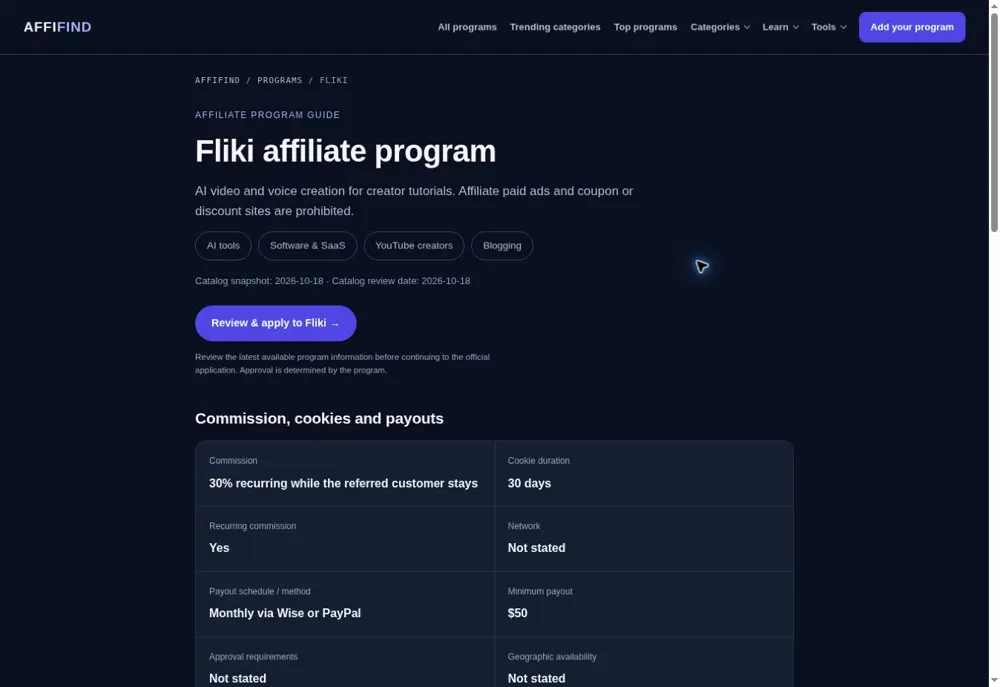
Category and directory links open a permanent program page. From a homepage card, choose Program profile. From the detail panel, choose Open shareable program page.
A profile brings together the recorded terms, review information, official source links, and related programs. Under Share this program, select Copy link to send the page to someone or keep it in your own notes.
5. Check the official source, then apply
Read the official program information linked from the profile. On a profile, Review & apply opens that exact program’s live AffiFind panel. Choose Join Program there to continue to the merchant or network application.
Provide accurate details about your site or channels, audience, and promotion plan. New publishers should report their actual traffic. A listing in AffiFind is not an approval, and clicking an application button does not enroll you.
If a link fails or terms appear wrong, use Report a problem with this listing in the detail panel. Include the changed term and its official source so it can be reviewed.
6. Get your own tracking link and check payment settings
After approval, get your personal affiliate link from the merchant or network dashboard. The application link you found in AffiFind is not automatically your own earning link.
Before promoting, check your payout method, identity or tax requirements, minimum payment balance, and promotion rules with that provider. A click alone may earn nothing; the program decides which actions qualify and when commissions are approved.
Clearly disclose affiliate relationships when sharing your links. Start with useful content for your audience and follow the provider’s rules.
Who pays you? The merchant or affiliate network pays approved commissions. AffiFind helps you research programs; it does not collect or pay your affiliate earnings.
Common questions
Do I need an AffiFind account?
No account is needed for public search, categories, guides, and program profiles. A merchant or network may require its own account and application.
Does a higher match score mean I will earn more?
No. It reflects how closely a result matches a search. Product fit, eligibility, content quality, qualified conversions, and program terms affect results.
Can I apply with low traffic?
Some programs accept newer creators; others have specific requirements. Check the official rules and explain your real audience and promotion plan. Acceptance is never guaranteed.
Why is a term missing?
AffiFind leaves unsupported details unstated. Consult the official source or contact the program instead of assuming a favorable term.
Your first-session checklist
- Choose a topic your audience cares about.
- Find two or three relevant programs.
- Check eligibility, qualifying actions, attribution, and payout terms.
- Save a profile link and read the official program rules.
- Apply accurately; obtain your personal tracking link if approved.